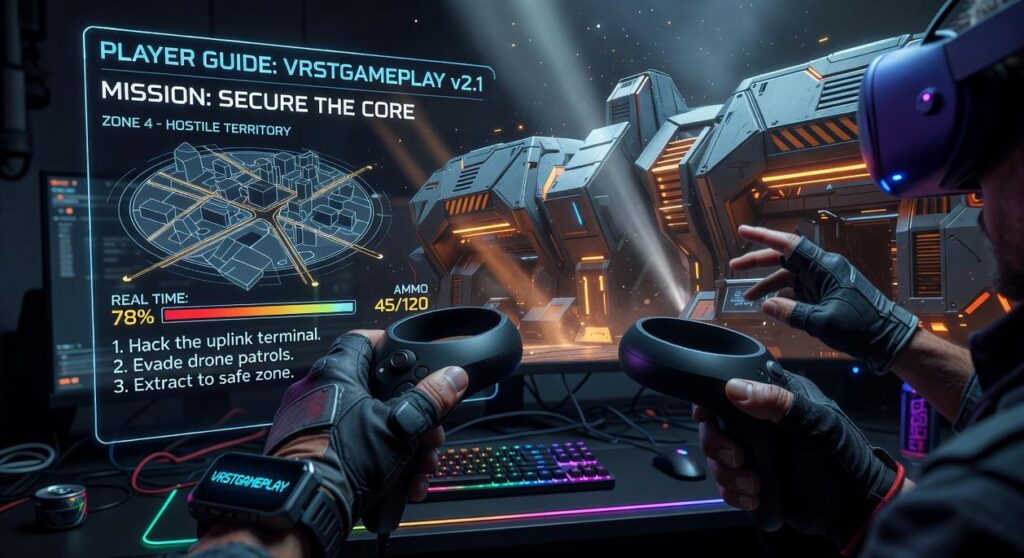
I’ve spent years watching players struggle with VR in ways they never did with traditional games.
You’re probably here because you feel clumsy in VR. Your aim is off. You get tired faster than you should. And those movement controls? They still feel weird.
Here’s the thing: being good at console or PC games doesn’t mean you’ll be good at VR. The skills don’t transfer the way you’d think.
I’ve analyzed how players move, aim, and interact across dozens of VR titles. The patterns are clear. The players who excel aren’t necessarily the ones with the best reflexes. They’re the ones who understand how VR actually works.
This guide covers the core strategies that work across every VR game. Not game-specific tricks. The foundational skills that matter whether you’re playing shooters, puzzle games, or anything in between.
At vrstgameplay, we focus on what actually makes players better. We test techniques and track what works in real gameplay sessions.
You’ll learn how to move without getting sick, how to aim naturally in 3D space, and how to build the spatial awareness that separates beginners from veterans.
No fluff about the future of VR. Just practical strategies you can use in your next session.
Setting the Stage: Mastering Your Physical and Digital Play Area
I learned this the hard way.
Three weeks into owning my headset, I punched a ceiling fan while fighting off zombies. My knuckles still remember.
Most new VR players skip the setup. They want to jump straight into the game. I get it. You just dropped money on new hardware and you’re ready to go.
But here’s what nobody tells you.
Your play space setup determines everything. How confident you feel. How well you perform. Whether you end up with bruised hands or a cracked controller.
Some people say the guardian system is enough. Just draw your boundary and start playing. They think spending time on your physical space is overkill.
And look, if you’re just sitting down for a racing game, maybe they’re right.
But for active vrstgameplay? That thinking will cost you.
Clear Your Space Like You Mean It
I’m talking about a real clearing. Not just moving the coffee table a few inches.
According to Meta’s safety guidelines, you need at least 6.5 feet by 6.5 feet of clear space for room-scale VR. That’s the minimum. I recommend more if you’ve got it.
Walk through your play area with your arms fully extended. Spin around. Reach up high. If you touch anything, move it or move yourself.
Common hazards people miss:
- Ceiling fans (trust me on this one)
- Wall decorations at arm height
- Pets that like to investigate what you’re doing
- Charging cables on the floor
The player guide vrstgameplay experts recommend is simple. If it can break or hurt you, get it out of range.
Your Guardian Is Not the Enemy
I used to hate that blue grid popping up mid-game.
Then I started treating it like a tool instead of an annoyance. Changed everything.
Here’s the thing about calibration. Most people trace their guardian right up to the walls. Big mistake. You need buffer space because when you’re immersed, you don’t stop the instant you see the boundary.
I set mine about two feet inside my actual walls. Gives me room to react before I hit anything solid.
Pro tip: Recalibrate every few sessions. Your headset’s tracking can drift slightly over time.
The Tactile Anchor Technique
This one sounds simple but it works.
I put a small textured rug in the center of my play space. Nothing fancy. Just something I can feel through my socks.
When I’m deep in a game and lose track of where I am in the room, I take one step. If I feel the rug, I’m centered. If not, I know which direction to adjust.
A study from Stanford’s Virtual Human Interaction Lab found that physical reference points reduce disorientation in VR by 43%. Your brain needs that real-world anchor.
You don’t need anything expensive. A yoga mat works. Even a towel if that’s what you’ve got.
The point is giving yourself a way to stay oriented without breaking immersion. No looking down at your feet. No peeking under the headset.
Just a quick tactile check and you’re back in the game.
Finding Your ‘VR Legs’: A Guide to Virtual Movement and Comfort
You know that feeling when you first put on a VR headset and try to move?
Your brain gets confused. Your stomach might protest a little. And you start wondering if VR just isn’t for you.
Here’s what nobody tells you upfront. Getting comfortable with virtual movement takes time. But once you figure it out, you’ll have an edge that flat-screen players can’t touch.
Locomotion Styles: Teleport vs. Smooth Motion
Let me break down your two main options.
Teleport movement lets you point and jump to a new spot instantly. It’s jarring on purpose. In PvP games, that disorientation can work in your favor because enemies lose track of you between blinks.
Smooth motion feels more natural. You glide through the world like you’re walking. It’s perfect for exploration games where immersion matters more than tactical advantage.
I switch between both depending on what I’m playing. Competitive shooters? Teleport keeps me unpredictable. Story-driven games? Smooth motion every time.
Snap vs. Smooth Turn
Turning is where most people get motion sick.
Snap turning rotates your view in fixed chunks (usually 30 or 45 degrees). Your vision cuts to the new angle instead of sweeping across. Most competitive players stick with snap turning because it’s faster and easier on your stomach.
Smooth turning does exactly what it sounds like. Your view rotates continuously. It feels more realistic but can make you queasy if you’re not ready for it.
Start with snap turning. You can always adjust the angle size in your settings. Once you’re comfortable, try smooth turning for short periods and see how you feel.
Your Body Is the Controller
This is where VR gets interesting.
You can physically duck behind cover. Lean around corners to peek at enemies. Dodge incoming fire by moving your actual head and torso.
I’ve won fights just by crouching under a shot that would’ve killed me on a monitor. That’s not possible with a keyboard and mouse (no matter how good your reflexes are).
The players tutorial vrstgameplay covers more advanced movement techniques. But the basics are simple. If you can move your body to do it in real life, try it in VR first.
Building Your VR Tolerance
Getting your VR legs isn’t instant.
Start with 15 to 20 minute sessions. When you feel off, stop. Pushing through nausea just makes it worse next time.
Some people swear by ginger. Ginger chews or ginger ale before playing. I can’t say it works for everyone, but it’s worth trying.
Here’s a trick that helped me. When you’re moving in VR, pick a point on the horizon and focus on it. Your brain uses that stable reference point to make sense of the motion. It’s the same reason you look at the horizon when you’re seasick on a boat.
Give it two weeks of regular short sessions. Most people notice a big difference by then.
Your comfort settings aren’t permanent either. What feels right today might feel limiting once you’ve got more experience. Check back on your settings every few weeks and experiment.
Beyond Point-and-Click: Effective VR Combat and Object Handling
You know what drives me crazy?
Watching someone play VR shooters like they’re still sitting at a desk with a mouse.
I see it all the time. Players flicking their wrists around trying to snap onto targets. It looks ridiculous and it doesn’t work.
Here’s my take. If you’re playing VR like it’s Counter-Strike, you’re doing it wrong.
Some people disagree with me on this. They say muscle memory from traditional gaming transfers over and you should use what works. That wrist-flicking got them to Global Elite so why change now?
But they’re missing the point entirely.
Aiming is Believing
Your body already knows how to point at things. You’ve been doing it since you were a baby.
I use my dominant eye and plant my feet. That’s it. My whole upper body becomes the aiming mechanism. Not my wrist. Not some tiny hand movement.
It feels weird at first if you’re coming from flat-screen games. But after an hour? You’ll wonder why you ever aimed any other way.
The two-handed grip changes everything. I don’t care what gun I’m holding in VR. If I can get a second hand on it, I do.
The difference in control is night and day. Recoil becomes manageable. Your shots land where you’re actually looking. The which gaming mouse pad to chooose vrstgameplay setup you used before? Forget it. This is full-body gaming now.
Reloading Under Pressure
I’ve died more times mid-reload than I care to admit.
The solution isn’t faster reflexes. It’s repetition until your hands move without thinking. I spent 20 minutes just reloading over and over in the shooting range (boring as hell but worth it).
Now when things get hot, my hands just know. Magazine out. New mag in. Chamber check. I’m not thinking about button prompts or sequences.
Here’s what nobody tells you about VR combat. You can use the actual environment.
I crouch behind cover in real life. I lean around corners with my actual head. I’ve won firefights by physically dropping to the floor and shooting under a table.
That’s not possible in traditional games. In VR, if you can move your body that way, you can do it in the game. The player guide vrstgameplay principles apply here too.
Verticality matters now. I look up. I look down. I peek over barriers and blind-fire when I need to.
Your opponents are still thinking in 2D half the time. You show up above them or below their sightline? They freeze.
That half-second of confusion is all you need.
Advanced Tips for Peak Immersion and Performance
I learned this the hard way during a ranked match last month.
I kept getting flanked from the left and couldn’t figure out why. Turns out my headset was slightly rotated. The audio cues I thought were coming from behind were actually coming from my side.
Cost me three rounds before I noticed.
Listen Closely
Spatial audio isn’t just about hearing footsteps. It’s about reading the entire battlefield through sound.
When you hear a reload, that’s a two-second window. When you catch the faint hum of an ability charging up, you know what’s coming before it happens.
I started treating audio like a radar. Now I can tell if someone’s above me, below me, or moving through cover based purely on how their movement sounds.
Optimizing Headset Comfort
Your headset shouldn’t feel like it’s crushing your skull after 20 minutes.
Adjust the top strap so it carries most of the weight. Not the front. If you feel pressure on your cheeks, you’re doing it wrong.
And lens fog? Tilt the headset slightly away from your face between rounds. Creates just enough airflow to keep things clear.
Managing VR Fatigue
I used to push through three-hour sessions and wonder why my aim got sloppy.
Now I take a five-minute break every hour. Step away. Look at something far away (your eyes will thank you). Stretch your neck.
The player guide vrstgameplay recommends this for a reason. You can’t perform when your body’s fighting the headset.
From Virtual Novice to VR Veteran
You came here feeling awkward in VR. Maybe a little dizzy or unsure how to move naturally.
I’ve shown you how to set up your space, master movement, and interact with confidence. These aren’t tricks. They’re the foundation every good VR player builds on.
The discomfort you felt? It goes away with practice and the right techniques.
Here’s why this works: You’re training your brain to treat VR as natural. Not a novelty. Not something foreign. Just an extension of how you already move and think.
Good habits turn into muscle memory fast.
Your next session matters more than you think. Pick one strategy from this player guide vrstgameplay and focus on it. Just one.
Maybe it’s your stance. Maybe it’s how you turn your head instead of using the stick. Whatever you choose, commit to it for 20 minutes.
That’s how you go from fumbling around to feeling like you belong in virtual worlds.
Your VR mastery starts the moment you load up your next game.